> ## Documentation Index
> Fetch the complete documentation index at: https://hub.agentr.global/llms.txt
> Use this file to discover all available pages before exploring further.
# Additional Settings
> Manage advanced configurations like team access, integrations, and screening settings.
## 👥 Users & Invites
The **Users & Invites** section allows you to manage your team members, roles, and access within AgentR.
 ### What you can do:
* **View Users** → See all members added to your organization along with their roles and join details
* **Manage Roles** → Assign roles to control access levels
* **Invite Members** → Add new users by sending email invitations using the **Invite User** button
* **Track Invites** → Monitor invitation status (e.g., pending, accepted) and expiry details
### 🔐 Role Permissions
* **Admin** → Full access to applications
* **Member** → Full application access, cannot change organization settings, can invite only lower-role users
* **Viewer** → Can view and share job listings only
### 🔄 Tabs Overview
* **Users Tab** → Displays all active members in your organization
* **Invites Tab** → Shows pending invites with status, invited by, and expiration date
***
## 🔗 Zoho Integration
The **Zoho Integration** feature allows you to connect AgentR with Zoho to streamline your recruitment workflow and keep your data in sync.
### What you can do:
* **View Users** → See all members added to your organization along with their roles and join details
* **Manage Roles** → Assign roles to control access levels
* **Invite Members** → Add new users by sending email invitations using the **Invite User** button
* **Track Invites** → Monitor invitation status (e.g., pending, accepted) and expiry details
### 🔐 Role Permissions
* **Admin** → Full access to applications
* **Member** → Full application access, cannot change organization settings, can invite only lower-role users
* **Viewer** → Can view and share job listings only
### 🔄 Tabs Overview
* **Users Tab** → Displays all active members in your organization
* **Invites Tab** → Shows pending invites with status, invited by, and expiration date
***
## 🔗 Zoho Integration
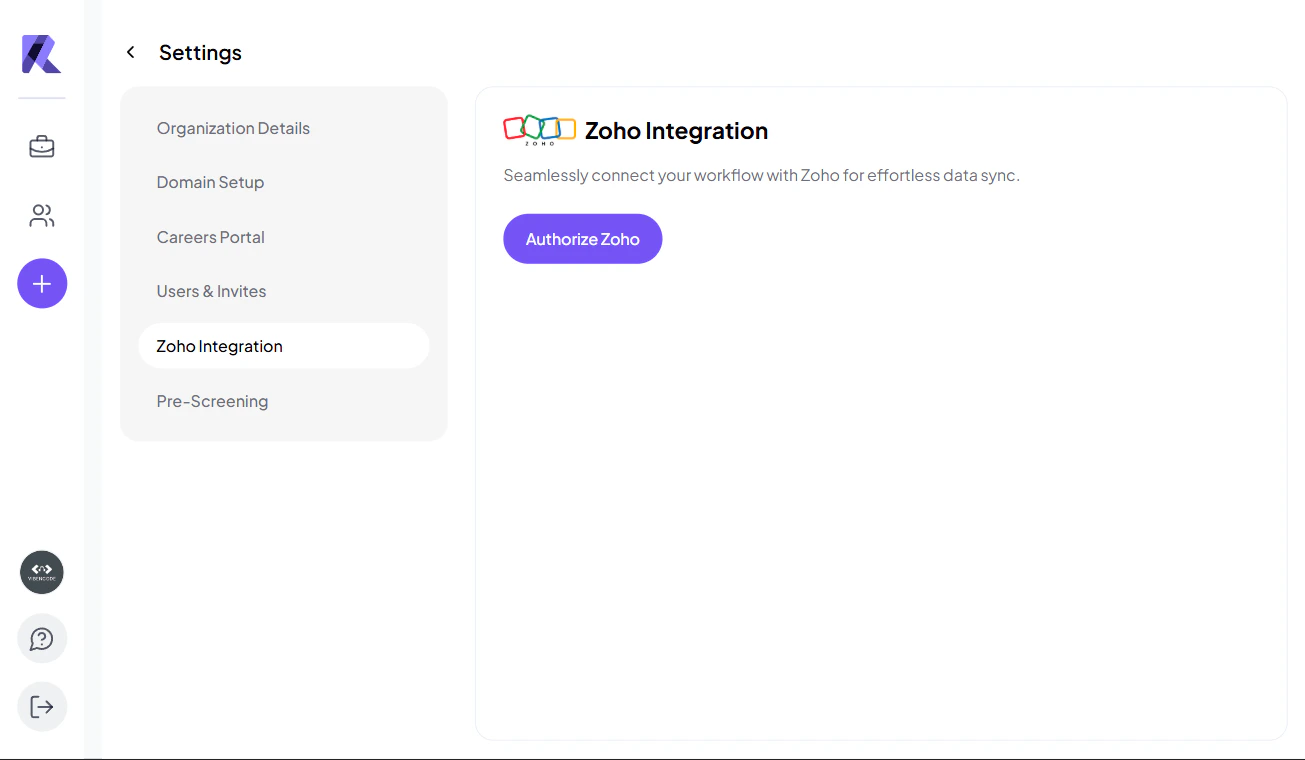
The **Zoho Integration** feature allows you to connect AgentR with Zoho to streamline your recruitment workflow and keep your data in sync.
 ### What you can do:
* **Connect to Zoho** → Authorize your Zoho account and generate a secure API key
* **Secure API Access** → Copy and use the API key (visible only once) for integration setup
* **Sync Data** → Automatically sync candidate and job data between AgentR and Zoho
* **Centralize Workflow** → Manage hiring processes across both platforms
* **Disconnect Anytime** → Easily un-authorize Zoho integration when needed
> 🔐 The API key is shown only once for security reasons—make sure to copy and store it safely.
> 💡 This integration helps reduce manual work, avoid duplicate data entry, and maintain a seamless hiring workflow.
***
## 🤖 Pre-Screening Settings
The **Pre-Screening** section allows you to configure default AI screening settings for your organization.
### What you can do:
* **Connect to Zoho** → Authorize your Zoho account and generate a secure API key
* **Secure API Access** → Copy and use the API key (visible only once) for integration setup
* **Sync Data** → Automatically sync candidate and job data between AgentR and Zoho
* **Centralize Workflow** → Manage hiring processes across both platforms
* **Disconnect Anytime** → Easily un-authorize Zoho integration when needed
> 🔐 The API key is shown only once for security reasons—make sure to copy and store it safely.
> 💡 This integration helps reduce manual work, avoid duplicate data entry, and maintain a seamless hiring workflow.
***
## 🤖 Pre-Screening Settings
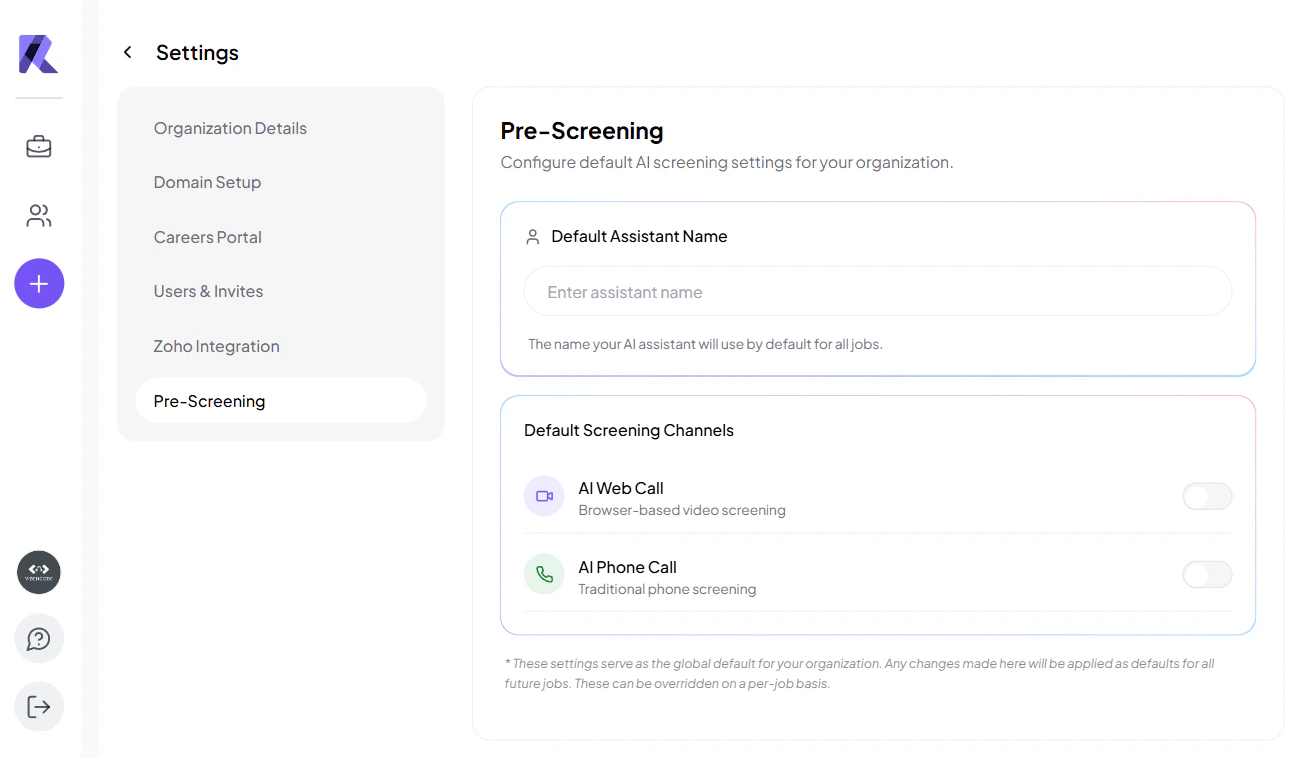
The **Pre-Screening** section allows you to configure default AI screening settings for your organization.
 ### What you can configure:
* **Default Assistant Name**
Set the name of your AI assistant that will be used across all job screenings.
* **Screening Channels**
Choose how candidates will be screened:
* **AI Web Call** → Browser-based video screening
* **AI Phone Call** → Traditional phone-based screening
***
### What you can configure:
* **Default Assistant Name**
Set the name of your AI assistant that will be used across all job screenings.
* **Screening Channels**
Choose how candidates will be screened:
* **AI Web Call** → Browser-based video screening
* **AI Phone Call** → Traditional phone-based screening
***