⚙️ Resume Screening on Autopilot The Automated Pre-screening feature helps streamline your recruitment workflow by combining resume analysis and intelligent candidate interaction, so only qualified, relevant applicants make it to your review stage.
🔍 What It Does Automatically screens candidates right after they apply, by:
Analyzing resumes
Matching them with the Job Description (JD)
Initiating a dynamic chat to evaluate skills and intent
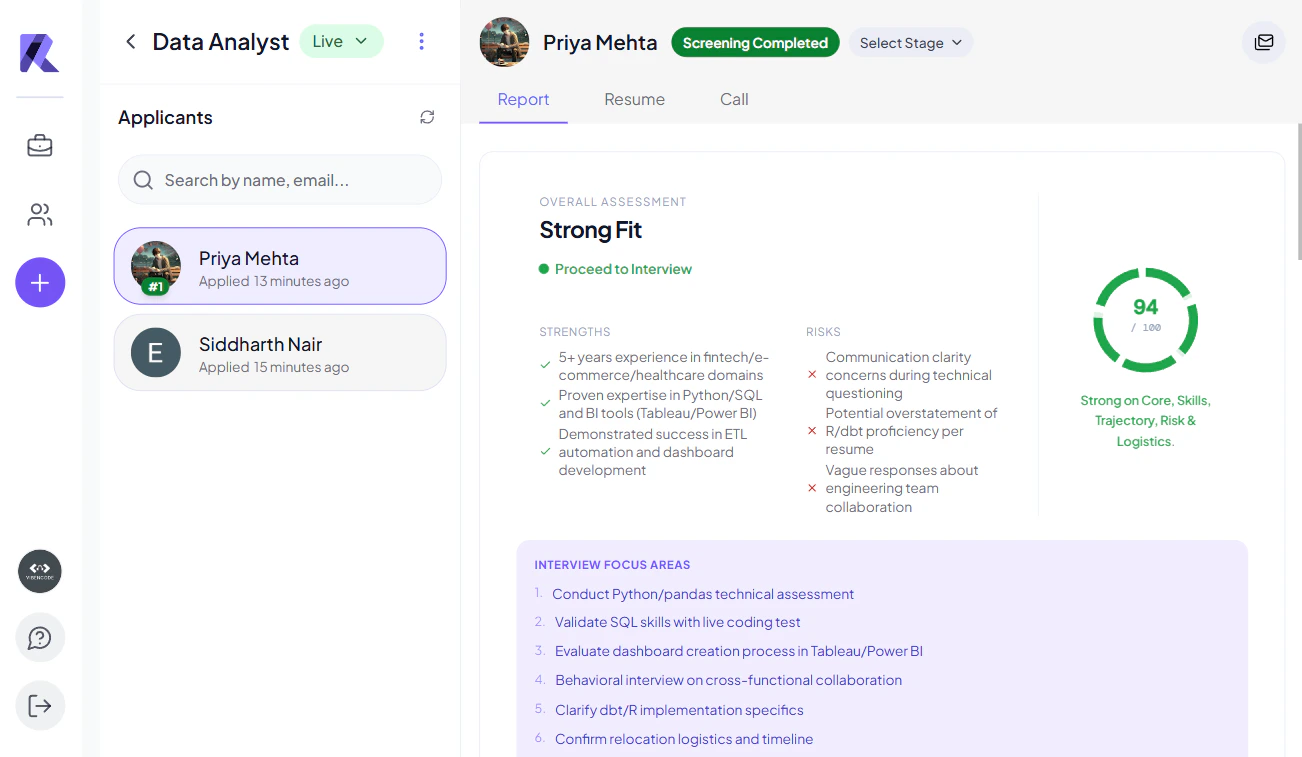
Generating a comprehensive candidate report
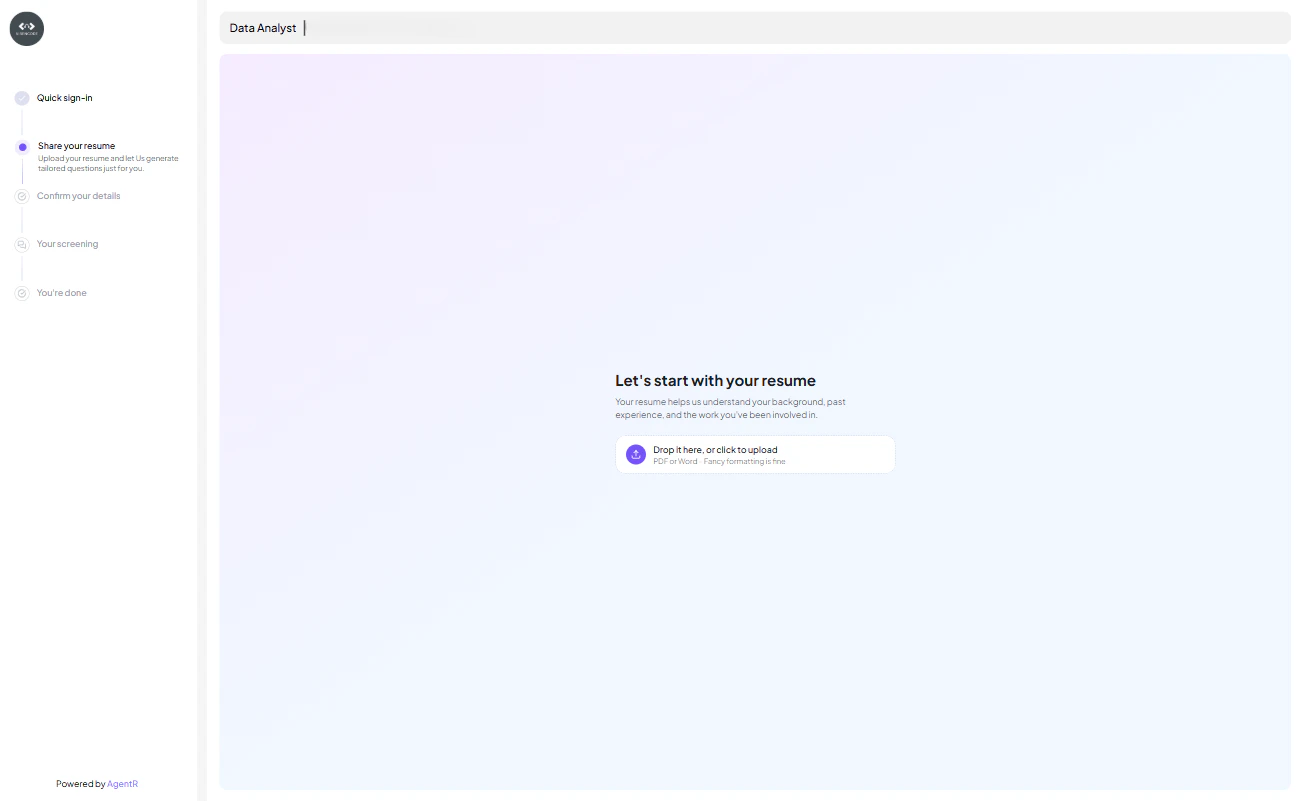
🛠 How It Works 1. Resume Upload Once a candidate applies, they are prompted to upload their resume.
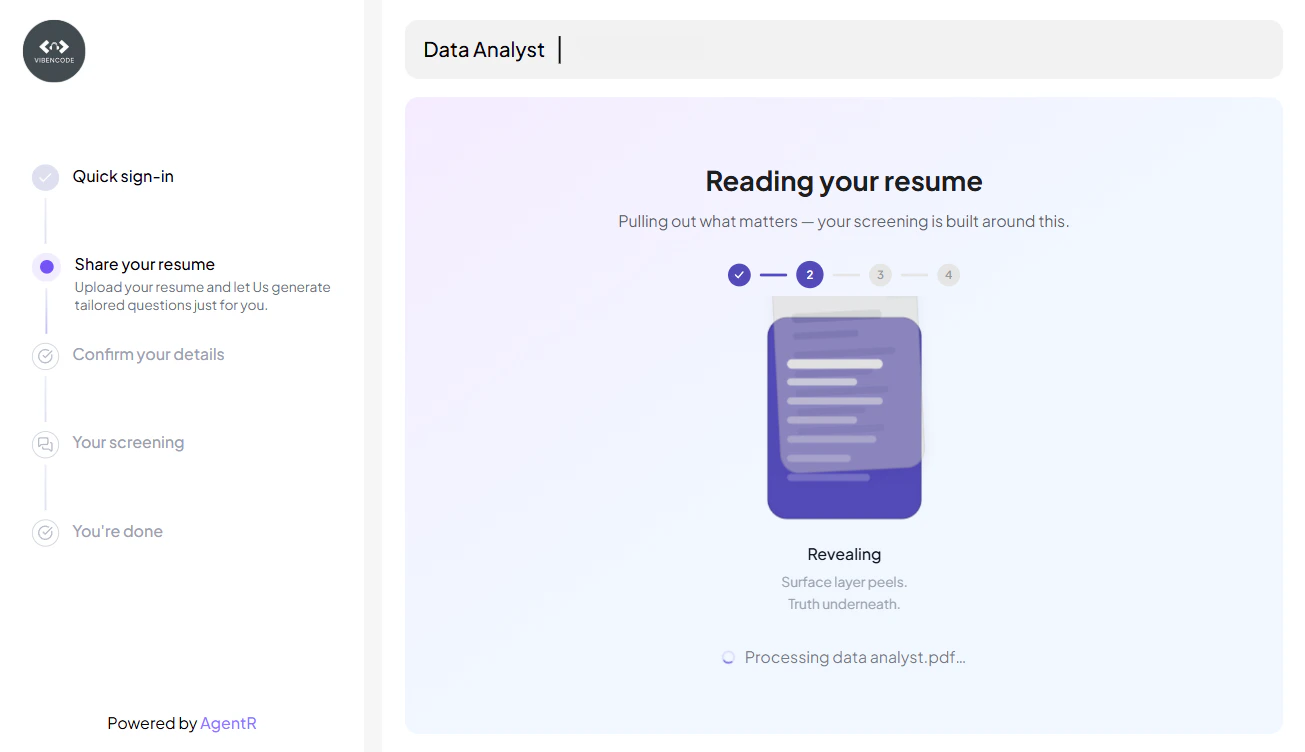
2. Resume & JD Matching The platform’s AI engine scans the resume and matches it against the job-specific criteria such as:
Experience
Skills
Location
Education
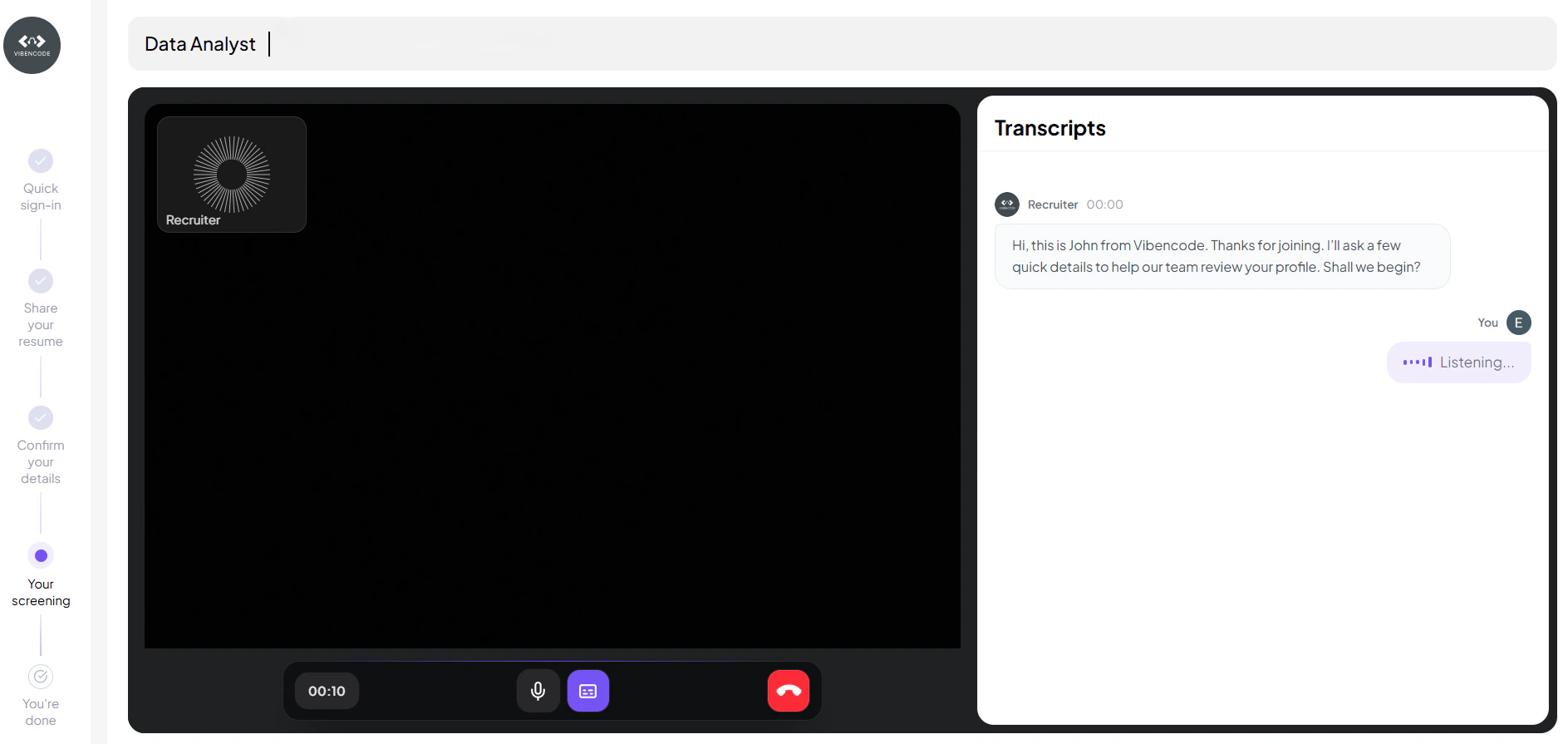
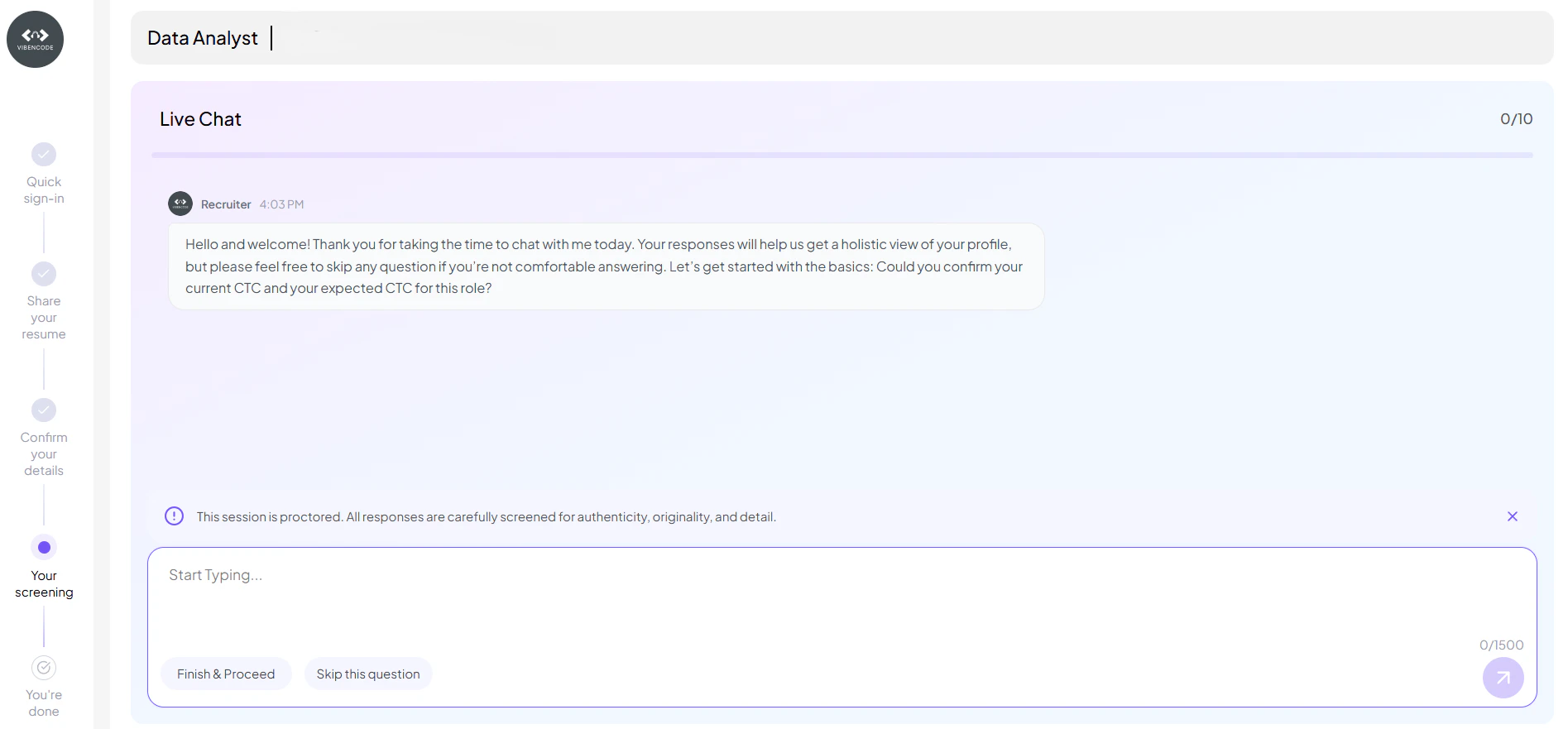
3. Intelligent Chat Screening Once the resume is uploaded, a chat session is triggered automatically to assess the candidate.
The virtual assistant asks maximum 10 contextual questions, including:
1–3 HR questions (e.g., notice period, preferred location, expected CTC)
6–9 technical or domain-specific questions based on the job description
Custom screening questions added by the recruiter to tailor the evaluation
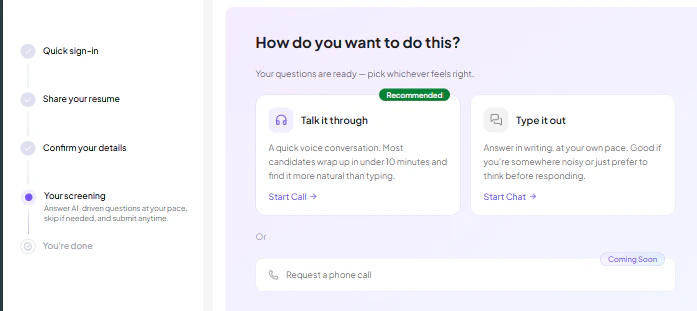
Candidates can choose how they want to complete the screening:
Talk it through – A voice-based interaction where candidates answer questions naturally through a quick conversation
Type it out – A chat-based interaction that allows candidates to respond at their own pace
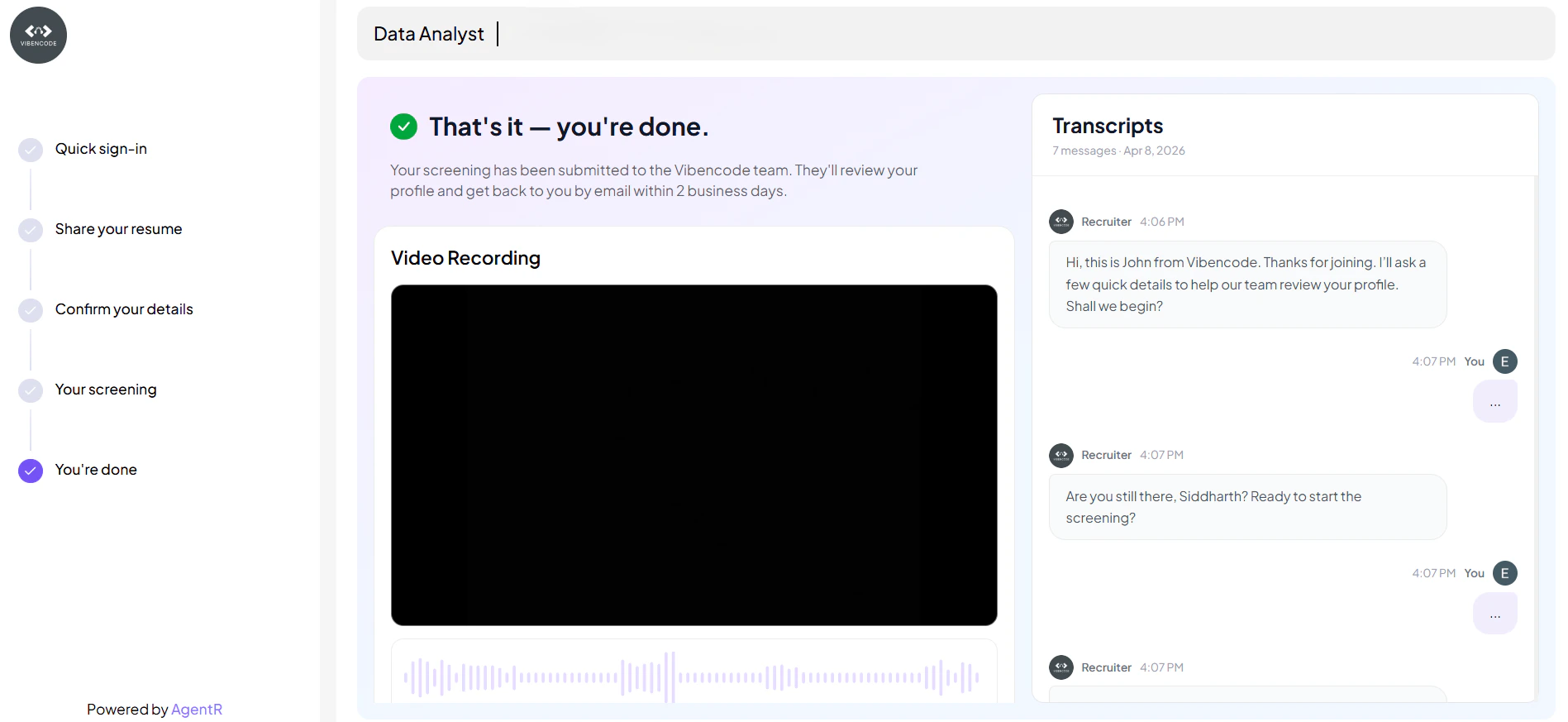
4. You’re All Set! Once the screening is completed, candidates reach the final stage confirming successful submission.
At this stage:
The screening process is fully completed and submitted
Candidate receive a confirmation message that their profile is under review
Candidate can access:
Interaction history for detailed responsesRecorded sessions (where applicable)
5. Report Generation Based on:
Resume match results
Chat responses
The system generates a pre-screening report to help you identify the most relevant candidates.
🧾 Candidate Status Stages Status What It Means Resume upload is in progress and being processed by the system. Resume has been successfully parsed and key details have been extracted. Resume analysis is complete and candidate is ready for screening. Candidate is eligible and ready to begin the screening session. Candidate has started the screening interaction. Screening is completed and evaluation report has been generated. Candidate skipped the screening process. Screening could not be completed due to an error or invalid attempt. Candidate can retry the screening after a failed or incomplete attempt. Screening session expired due to inactivity or time limit.
🖥️ Recruiter Dashboard View You can easily manage and review candidates from the dashboard with multiple filtering and action options:
All Applicants → View every candidate in one placePre-screened Applicants → Focus on AI-evaluated candidatesApplicants by Status → Track candidates based on stages like Screening Completed etc.
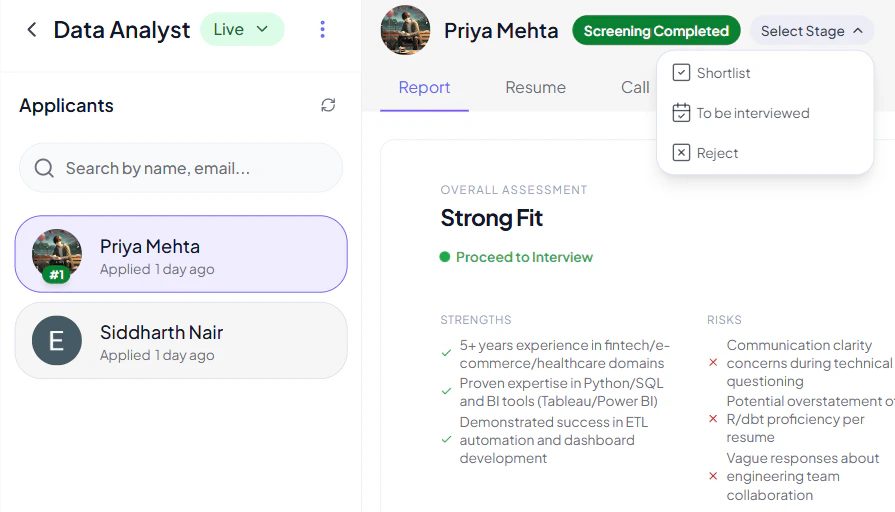
🎯 Update Candidate Stage Recruiters can also take quick actions on each candidate:
Use the “Select Stage” dropdown to update candidate status
Move candidates to:
Shortlist To be Interviewed Reject
💡 This helps streamline decision-making and keeps your hiring pipeline organized.
🚀 Especially powerful when managing high-volume applications, as it reduces manual effort and improves workflow efficiency.
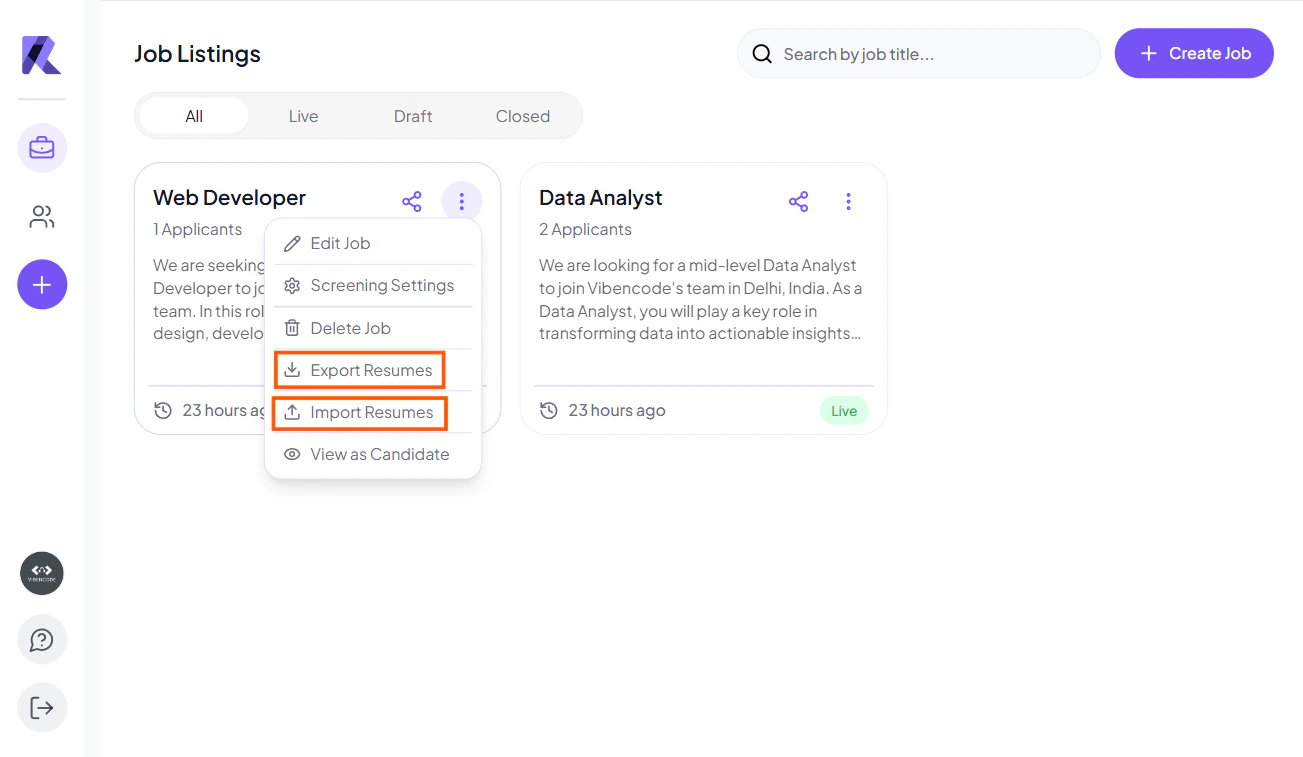
📥 Bulk Resume Import & Candidate Sharing Recruiters can efficiently manage candidates by importing resumes in bulk and sharing candidate details:
Bulk Resume Import
Click on the (⋯) three dots menu on a job post
Select the Import Resumes option
Upload multiple candidate resumes in bulk
🚀 This helps quickly add large numbers of candidates without manual entry, saving time and effort.
Export & Share Candidate Details
Export necessary candidate files with resume
Send them directly to candidates via email
Useful for collaboration and external review processes
📩 This makes it easy to manage, share, and review candidate information outside the platform.
✅ Benefits
Saves significant recruiter time by automating resume screening and initial candidate interactions
Reduces bias through consistent, AI-driven evaluation of all applicants
Improves candidate match quality by filtering only relevant profiles
Enables faster hiring decisions with structured insights and clear candidate data
Supports bulk actions like resume import and candidate sharing for better efficiency
Enhances collaboration by allowing easy export and sharing of candidate information
Last modified on April 22, 2026